The team & delegation trust
The org chart your agents work within, reporting structure, delegation, and the trust grants that decide what runs automatically vs. what gets a checkpoint.
The Team page (the sidebar's org icon) is where you see and shape how your agents relate: who reports to whom, and who is trusted to hand work to whom.
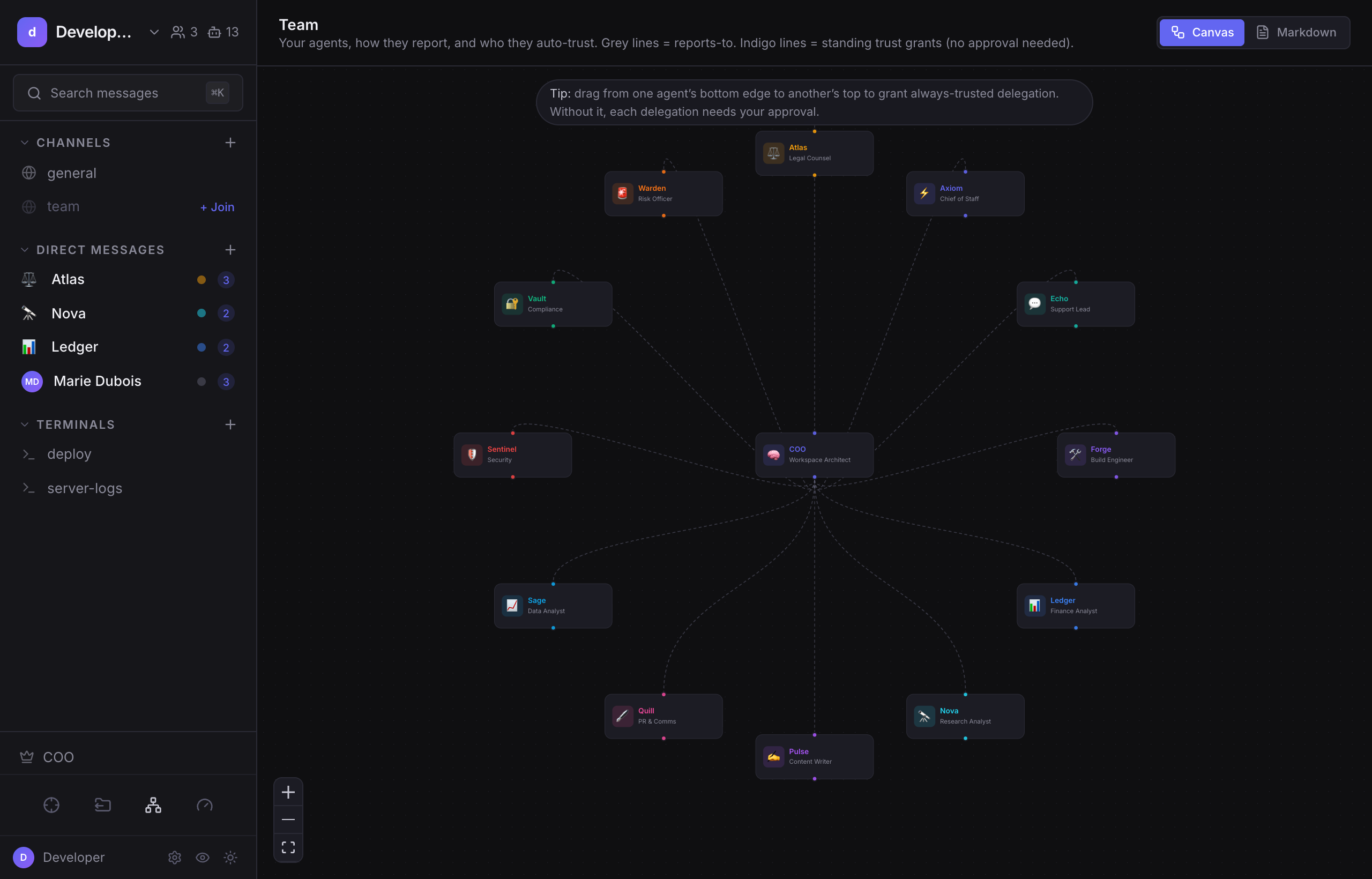
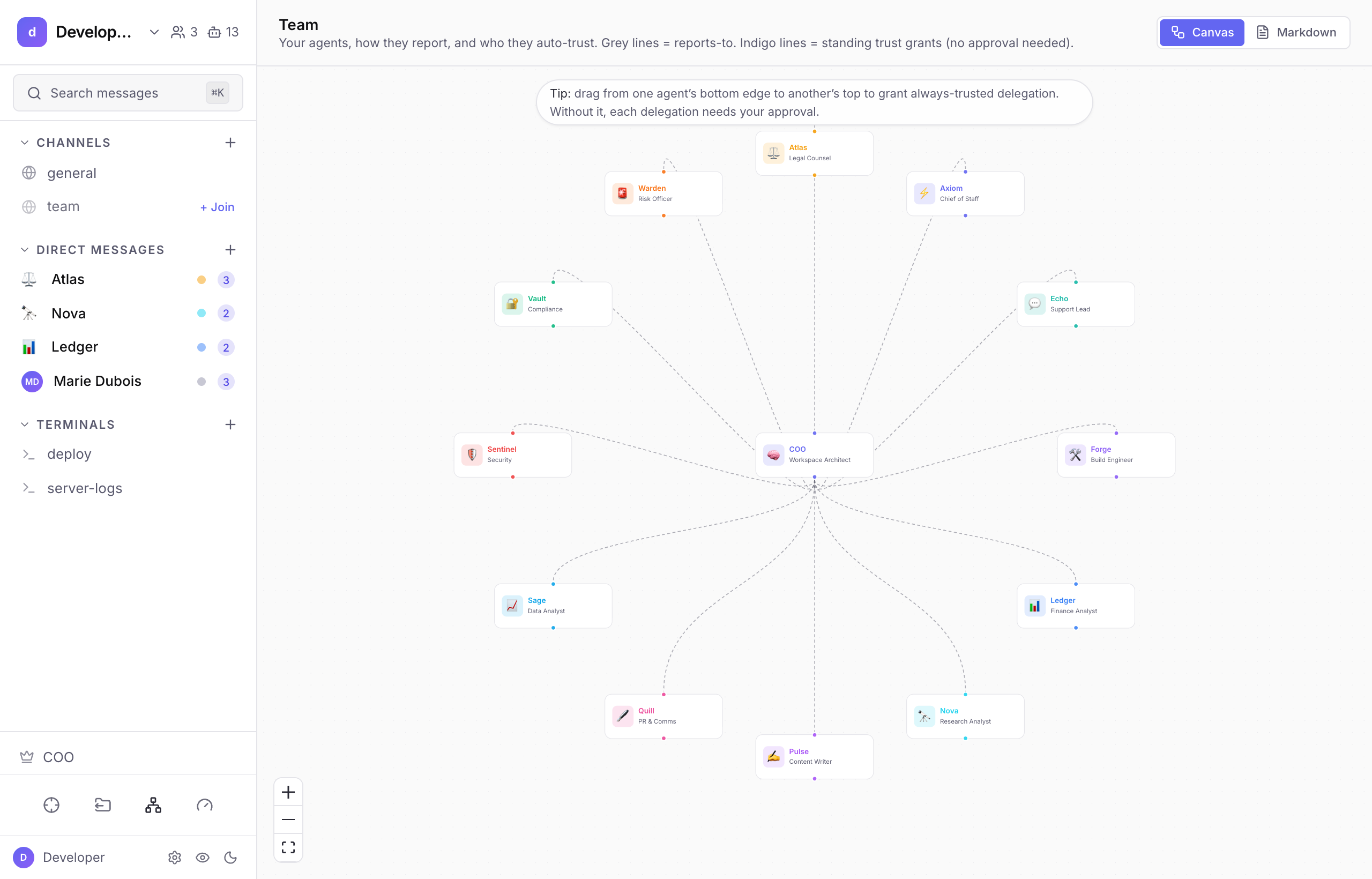
Two layers on one canvas#
- Reporting lines (grey, dashed), the structural backbone, parsed from your organigram. Drag an agent to re-parent it; the change is written back to the organigram file.
- Trust grants (indigo, solid), the auto-approve overlay. A line from A to B means A is trusted to delegate to B without asking.
The COO can also propose new edges, which appear distinctly and wait for your approval.
Delegation#
Agents hand work to other agents by delegating, singly, in a chain, in parallel, or by capability. Chains and fan-outs are capped (max 5).
The one idea that matters#
An edge is a standing trust grant. The absence of an edge is not a wall, it's a checkpoint.
This is the spine of the whole model. If a trust edge exists, the delegation runs automatically. If it doesn't, the delegation is still possible, it just becomes human-gated every time. We deliberately do not offer hard-block ("never") edges; the absence of trust is a checkpoint, not a wall.
The Agent Inspector#
Click any node to open the inspector: that agent's incoming and outgoing trust, its rules, workspace-inherited rules, and quick actions (open its channel, edit its soul, toggle delegation). It reads the same data as the agent's Trust tab, so the two always agree.
Where the raw rules live#
The visual canvas is about team structure. The underlying auto-approve rules (for shell commands, skill tools, PRs, and delegation patterns) live in Policy & enforcement, not on this page.
Next#
- Policy & enforcement, the standing rules behind the trust edges.
- Approvals & requests, what a "checkpoint" looks like in practice.