Approvals & requests
What an approval card means, how to approve or deny, and how to request agents or skills you can't create yourself.
This is the everyday loop for members: agents propose consequential actions, and you dispose of them.
What an approval is#
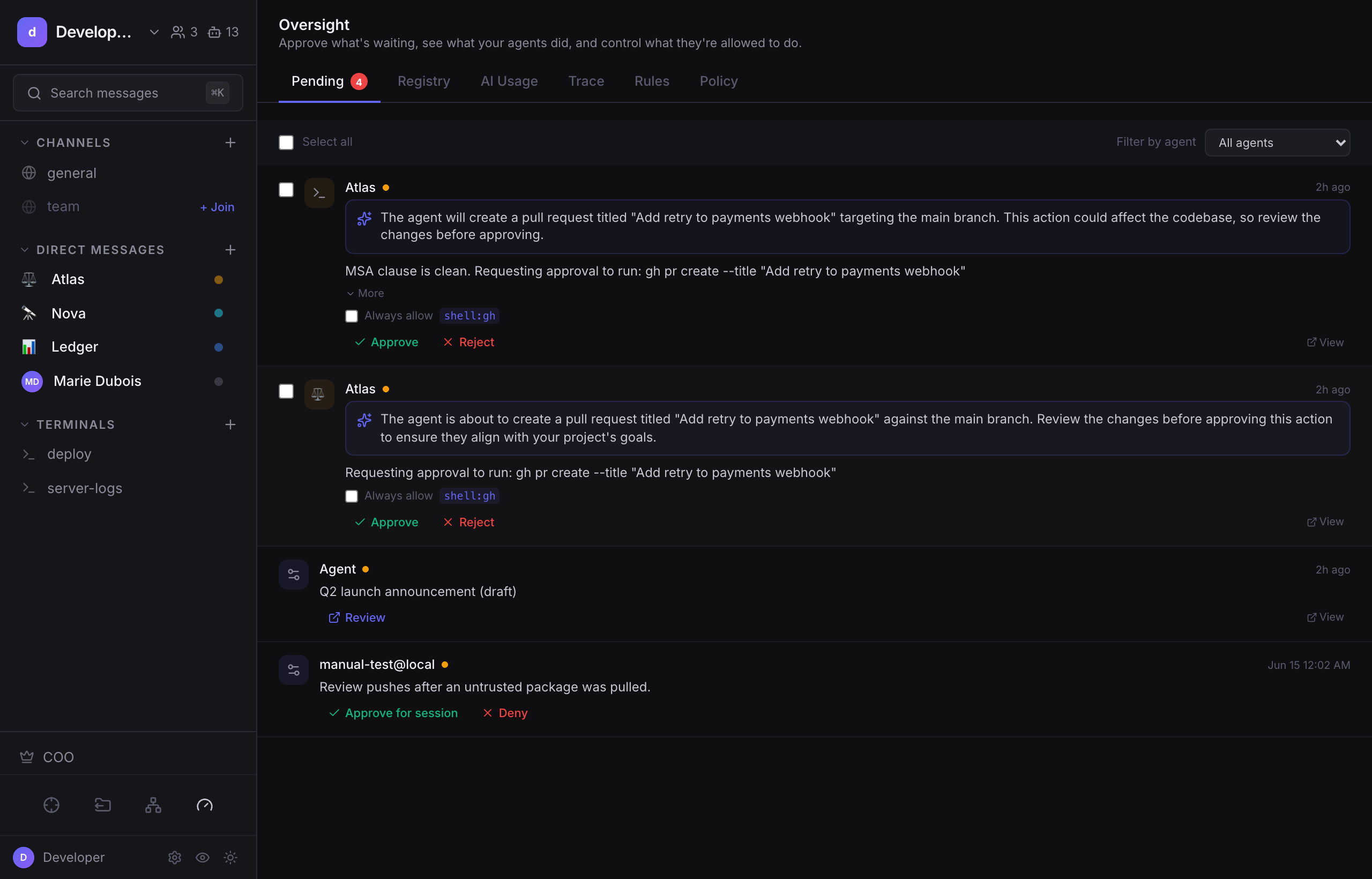
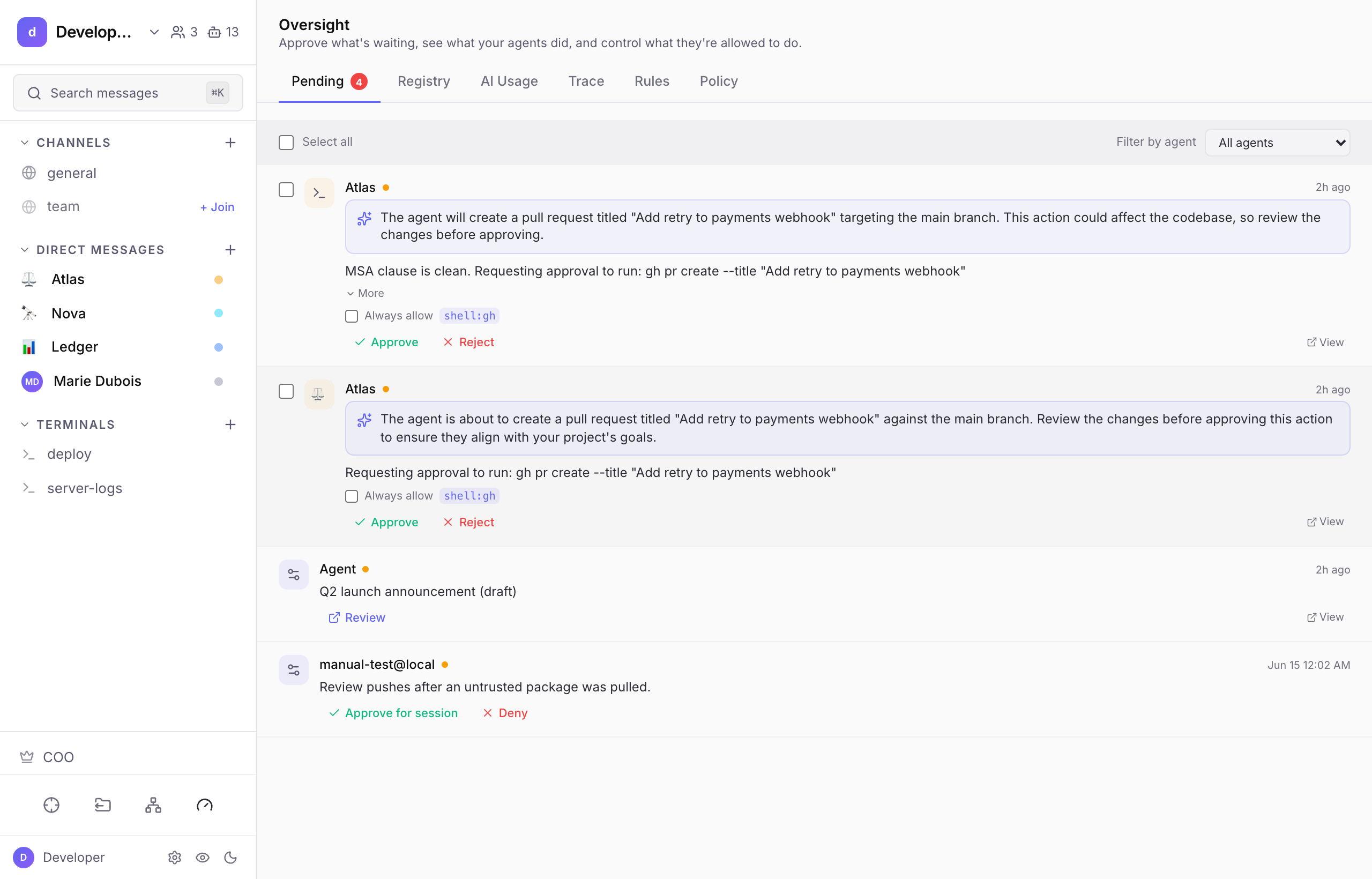
Before an agent does something that touches reality, it surfaces an approval card inline in the chat. Each card shows:
- What it wants to do, the command, the delegation, the change.
- A plain-English summary, what it is, why, and the risk. This is generated from the agent's own reasoning, never a verdict; the decision is yours. It needs an OpenRouter key in Settings → AI & Models, no license or runtime required, so it works on a governance-only install. Without one the card still works, just without the summary.
- Approve / Deny buttons.
Approve and the action runs, with the result posted back into the channel. Deny and it never happens. Either way, the decision is written to the Trace audit log.
Which actions get gated#
The pipeline gates the actions that have real-world consequences, running a shell command, handing work to another agent, calling a skill's tool, opening or merging a pull request, installing a skill, editing an agent's identity, and more.
Ceiling: A core set of action types (editing an agent's prompt, installing a skill, changing trust config, merging code, and creating an approval rule) can never be auto-approved. They each change an agent's future behavior or are destructive, so a human always decides. This is by design and cannot be toggled off.
What members see vs. operators#
- As a member, you approve or deny the single action in front of you.
- The "Always allow …" option on a card is operator-only: it creates a standing auto-approve rule, which is operator territory.
Requesting agents & skills#
If a policy doesn't let members create agents or install skills directly, you don't hit a wall. You request them. A request goes to operators (it shows up in their Pending queue), and they can fulfill it with one click. Whether members can create directly or must request is an operator policy setting.
Next#
- Notifications & preferences, getting pinged, and forwarding things to people.
- Operators: Policy & enforcement, turning repeated approvals into safe standing rules.